The accessibility tree is the new API
There is a function call that every major AI browsing agent makes before it can do anything useful on a web page:
page.accessibility.snapshot()It returns a JSON tree. Not the DOM, not a screenshot, but the accessibility tree: roles, names, states, and relationships, stripped of all visual styling.
{
  "role": "WebArea",
  "name": "Checkout",
  "children": [
    {
      "role": "main",
      "children": [
        { "role": "heading", "name": "Your order", "level": 1 },
        { "role": "textbox", "name": "Email address" },
        { "role": "textbox", "name": "Card number" },
        { "role": "button", "name": "Pay now" }
      ]
    }
  ]
}
That is what an AI agent sees when it looks at your checkout page. Not pixels, not CSS classes, not a visual rendering. Roles and names. It is also, almost exactly, what a screen reader sees. The same data structure, built for two entirely different audiences, thirty years apart.
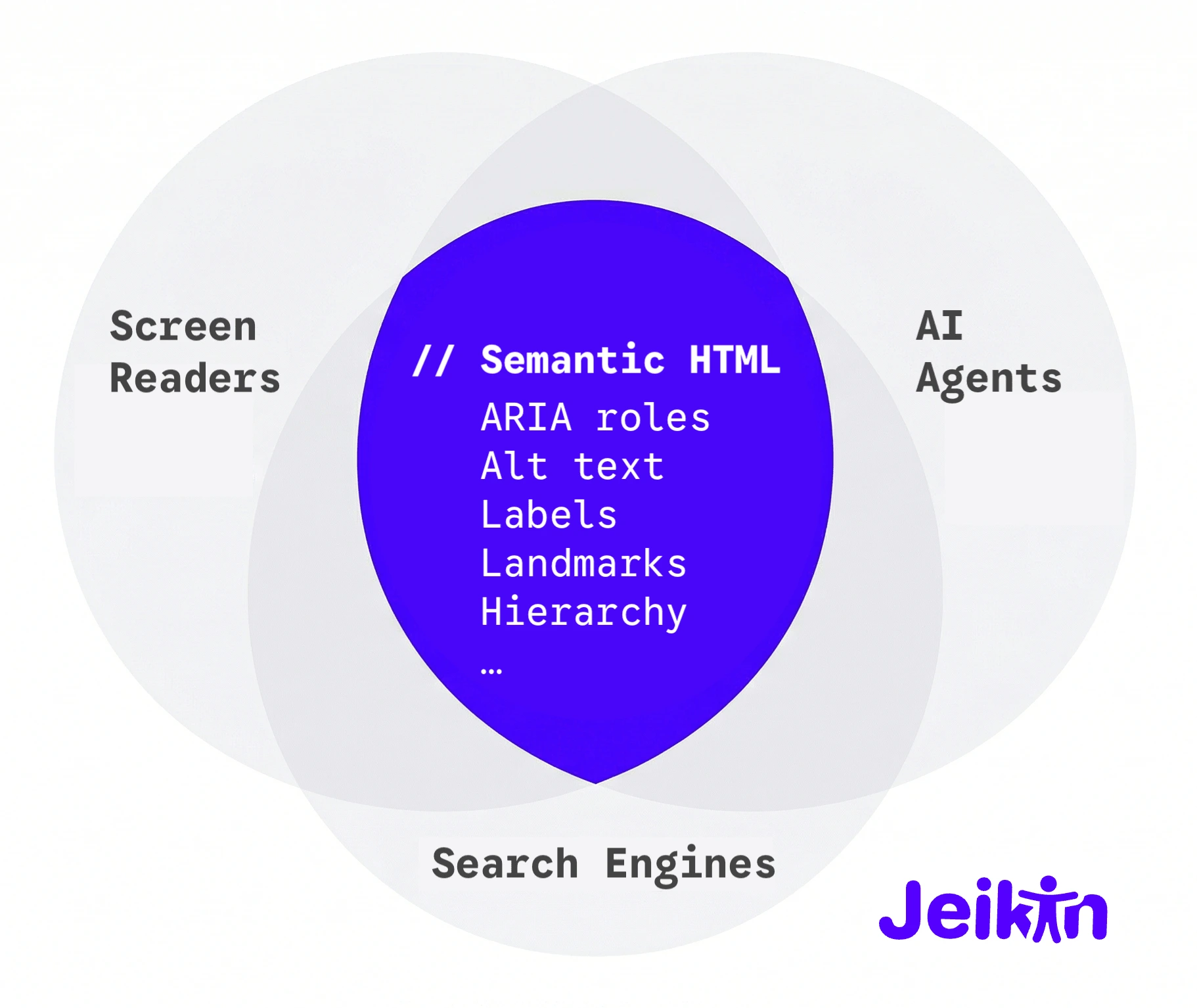
The same tree, two consumers
The accessibility tree was designed in the 1990s to give assistive technologies a structured way to understand user interfaces. Browsers build it from HTML semantics and ARIA attributes, screen readers like NVDA and VoiceOver traverse it to announce what is on screen, and platform APIs on every operating system expose it to any program that asks. For thirty years, the primary audience was assistive technology users: a population measured in the low millions, often underserved, and almost always treated as an edge case by the teams building the products they needed to use.
Then AI agents started browsing the web. OpenAI's Operator, Anthropic's computer use, Google's Project Mariner, Microsoft's Copilot Vision, and the open-source libraries that power thousands of custom agents all faced the same problem: they needed a machine-readable representation of web pages. The first approach was screenshots, and screenshots turned out to be slow, expensive in tokens, and fundamentally ambiguous. A button that says "Submit" on screen is just a rectangle of pixels until the model guesses correctly.
The accessibility tree already had the answer. Every button has a role, every input has a name, every landmark has boundaries. The entire semantic structure of the page, in a format that fits in a few hundred tokens instead of the thousands required by a screenshot or a full DOM dump.
So they used it. browser-use, the open-source agent framework with over 85,000 GitHub stars, calls page.accessibility.snapshot() as its primary observation method. Its tagline is literally "Make websites accessible for AI agents." Microsoft's Playwright MCP reads the accessibility tree as structured YAML, deliberately choosing accessibility data over visual rendering for their browser automation standard. rtrvr.ai built a DOM Intelligence Library on ARIA roles and achieved an 81% success rate on WebBench, ahead of every screenshot-based approach tested, with screenshot-based agents taking two to three seconds per action while DOM-based agents operate in sub-second time.
The testing industry arrived at the same conclusion years earlier. Playwright's recommended locator strategy is not CSS selectors, not XPath, not test IDs — it is getByRole('button', { name: 'Submit' }), querying the accessibility tree directly. Testing Library adopted the same priority independently. Both frameworks chose accessibility semantics because they are more stable than CSS classes, survive refactoring, work across frameworks, and implicitly assert that the element is accessible. If the locator fails, either the element does not exist or it is not accessible — the test failure is an accessibility bug report. AI agents are now making the same architectural choice, for the same reasons.
The infrastructure that was built for people who cannot see the screen turns out to be the best interface for machines that do not have eyes at all.
What breaks when the tree is broken
A study by AgentLens found that 68% of websites had barriers preventing AI agents from completing basic tasks like submitting a contact form or browsing products. The agents are already visiting, and most sites are already failing them.
The failure patterns will look familiar to anyone who has tested with a screen reader. An <input> without a <label> appears in the accessibility tree as { role: "textbox", name: "" }: a screen reader says "edit blank" and moves on, and an AI agent has no idea what to type. A <div class="dropdown" onclick="toggle()"> does not register as an interactive element in the accessibility tree at all, which means a screen reader cannot operate it and an AI agent does not know it exists. Without <nav>, <main>, and <aside>, the accessibility tree is flat: screen reader users cannot jump between regions, and AI agents cannot distinguish navigation from content.
A CHI 2026 paper measured the gap from the other direction. Their AI agent succeeded on 78% of standard tasks, but when users relied on assistive technology like screen magnifiers or keyboard-only navigation, that rate collapsed to 28%. The agent could handle the page, but it could not handle the page the way people with disabilities actually use it. The accessibility layer was not just an interface for the agent; it was the shared ground between the agent and the user.
<!-- Invisible to both screen readers and AI agents -->
<div class="btn" onclick="submit()">
  <div class="btn-icon"><svg>...</svg></div>
</div>

<!-- Visible to both -->
<button type="submit" aria-label="Submit order">
  <svg aria-hidden="true" focusable="false">...</svg>
  Submit order
</button>
The fix for the AI agent is the same fix for the screen reader user. It has always been the same fix.
The triple win has data behind it
There used to be three separate arguments for structuring your HTML well: accessibility for disabled users, SEO for search engines, and usability for everyone. They were always the same argument wearing different hats, and now the data is catching up.
According to Adobe Digital Insights, AI-driven traffic to US retail sites from platforms like ChatGPT and Perplexity surged 4,700% year-over-year by mid-2025. An analysis of over 15,000 AI Overview results found that content scoring high on semantic completeness was 4.2 times more likely to be cited than content that buried its meaning in unstructured prose. A SEMrush study of 847 websites found that over 73% of those that implemented accessibility improvements saw measurable increases in organic traffic, with an average gain of 12%.
Google has said it directly: structured data is "critical for modern search features because it is efficient, precise, and easy for machines to process." Microsoft's NLWeb project, led by R.V. Guha, the creator of Schema.org, takes this further by turning schema-marked-up content into AI-queryable data, with every NLWeb instance doubling as an MCP server. Search engines, screen readers, and AI agents all parse the same semantic layer. They always did. The difference is that the audience just scaled from millions to hundreds of millions.
The market multiplier
Screen reader users worldwide number in the low millions. That has been the accessibility market for thirty years: important, underserved, and easy for executives to deprioritise when the budget conversation starts.
ChatGPT alone reported over 200 million weekly active users in mid-2024, and by early 2026 that number is approaching a billion. Even a small fraction of those users delegating tasks to agents means tens of millions of agent sessions per week interacting with real websites, far more than the entire global screen reader population. Add Operator, Mariner, Copilot, and the open-source ecosystem, and the number of non-human consumers of your accessibility tree is about to dwarf the number of human ones. Gartner predicts that by 2028, 33% of enterprise software will include agentic AI, up from less than 1% in 2024.
This is not a hypothetical. Shopify's CEO has been publicly building toward what he calls "agentic commerce": AI agents shopping, comparing, and purchasing on behalf of consumers, with Shopify launching Agentic Storefronts and a Universal Commerce Protocol with Google. Perplexity launched AI-powered shopping in late 2024 and expanded it with direct checkout through PayPal in 2025. Amazon hired Adept's founding team and licensed its technology, a company whose entire thesis was autonomous web browsing. If an AI agent cannot parse your product page, it cannot recommend your product. If it cannot fill your checkout form, it will fill a competitor's. The same economics that drove SEO adoption in the 2000s will drive accessibility adoption in the 2020s, not out of virtue, but because the checkout page that works for agents gets the sale.
The W3C is already asking the question that follows from this. They held sessions in March and November 2025 on how AI agents will change the web platform, debating whether ARIA, designed for human assistive technologies, is sufficient for machine agents or whether the web needs a new semantic layer entirely. The early consensus is that ARIA already covers most of what agents need. The infrastructure has been here for years. The question is whether sites bother to implement it.
Where Jeikin fits
Every WCAG violation is simultaneously an AI-readability bug. An unlabelled button is invisible to both NVDA and Operator. A missing landmark is disorienting for both VoiceOver and Mariner. A div pretending to be a dropdown is broken for both JAWS and browser-use.
Jeikin scans for all of this, not because we predicted the agent economy, but because we started with the premise that accessible markup is structured markup, and structured markup is machine-readable markup. The tooling we built to help teams meet WCAG AAA turns out to simultaneously prepare their sites for the next generation of web consumers.
If you have been treating accessibility as a compliance cost, here is the reframe: you are building the API that AI agents use to see your site. Every fix you ship makes your content available to screen readers, search engines, and the hundreds of millions of agents that are about to start browsing on behalf of your users. The investment is the same. The return just got a lot larger.
The accessibility tree was built for people who cannot see. It is becoming the way machines see the web. The teams that invested in one are accidentally ready for the other.