Automated accessibility testing catches 30 to 40 percent of issues. Here's the other 60.
No team ships a feature at 38% test coverage and calls it done. Yet that is roughly where most accessibility work stops.
Two numbers from 2026 industry reports show why. The WebAIM Million, the annual scan of the top one million home pages, found that 95.9% of them still have detectable accessibility errors. Accessalyze's Internet Accessibility Report explains part of the reason: automated testing captures roughly 30 to 40 percent of all possible accessibility issues, and should be treated as a baseline indicator rather than a measure of coverage.
Read together, those numbers describe where most accessibility work actually stands. A generic scanner is widespread, fast, and genuinely useful. It also stops well short of the finish line. The interesting question is not whether 30 to 40 percent is good enough, because it is not. It is how much higher you can push that number, and what it takes to cover what is left. That is the difference between a green dashboard and a product that works for the people using it.
What the 30 to 40 percent covers
Automated scanners are excellent at the parts of accessibility that have a single correct answer a machine can check.
- Presence checks. Does this image have an
altattribute at all? Does this form field have an associated<label>? Does this button have an accessible name? - Measurable thresholds. Does the text color meet a contrast ratio against its background? Is the touch target large enough?
- Structural rules. Do heading levels skip from
h1toh4? Are there duplicateidvalues? Is there an<html lang>attribute? - Valid markup. Are ARIA attributes used on roles that support them? Do
aria-labelledbyreferences point at elements that exist?
These checks are valuable precisely because they are deterministic. A scanner never forgets to inspect the fifteenth image. It applies the same rule to every element, every commit, every time. This is the layer that catches missing alt attributes, unlabeled inputs, and contrast failures before they reach production. It is the right place to start, and a tool like axe-core running in your workflow will find a lot of real problems quickly.
The honest framing is that a generic scanner sets a floor. It tells you the obvious barriers are gone. It does not tell you the product is usable. The good news is that the floor is not fixed at 40 percent. It is the starting height, and the right layer on top of it raises the number considerably.
What lives in the other 60 percent
The remaining majority of accessibility outcomes depend on judgment, context, and meaning. These are things a scanner can detect the shape of, but not evaluate the quality of.
Does the alt text actually describe the image? A scanner confirms alt exists. It cannot tell you that alt="image" is useless, or that a decorative flourish should have had an empty alt="" instead of a paragraph of description. This is Non-text Content, and the presence check is the easy 5 percent of it.
Is the focus order logical? Keyboard users move through a page in a sequence. A scanner can confirm elements are focusable. It cannot tell you that pressing Tab jumps from the header to the footer and back to the middle, which makes the page disorienting to operate. That is Focus Order, and it depends on how the page reads, not just what is in the markup.
Does a link make sense on its own? "Click here" passes every automated check. It also tells a screen reader user nothing when they pull up a list of links out of context. Evaluating whether link text communicates its destination is Link Purpose, and it requires reading the link the way a person would.
Does an error message help someone recover? A scanner sees that a validation message appears. It cannot judge whether "Invalid input" actually guides someone toward a fix. Error Suggestion is about whether the guidance is useful, which is a human question.
Is the role you assigned the right one? ARIA can be syntactically valid and still wrong. A role="button" on something that does not behave like a button passes validation and confuses everyone who relies on the announced role. Name, Role, Value is satisfied by correct meaning, not correct syntax.
Above all of this sits the AAA layer, the criteria that ask about reading level, cognitive load, and enhanced contrast. These are almost entirely about whether real people can understand and operate the thing, and they resist automation by design. If you want to see how much of WCAG actually depends on interpretation, our per-criterion guides walk through each one in plain language.
How AI changes the middle of this gap
For a long time the 60 percent had only one tool: a human expert reading every page by hand. That work is essential and it is not going away. But the choice is no longer just "generic scanner or human." There is now a layer that sits between them and raises the floor well above 40 percent.
An AI-assisted review can read alt text and tell you it does not describe the image. It can follow a tab sequence and flag that the order does not match the visual layout. It can read a link out of context and notice it says nothing. None of this replaces a person testing with a real screen reader. What it does is handle the first pass on the judgment-dependent criteria, the same way a scanner handles the first pass on the deterministic ones. It turns "a human has to look at everything" into "a human has to confirm the things worth confirming."
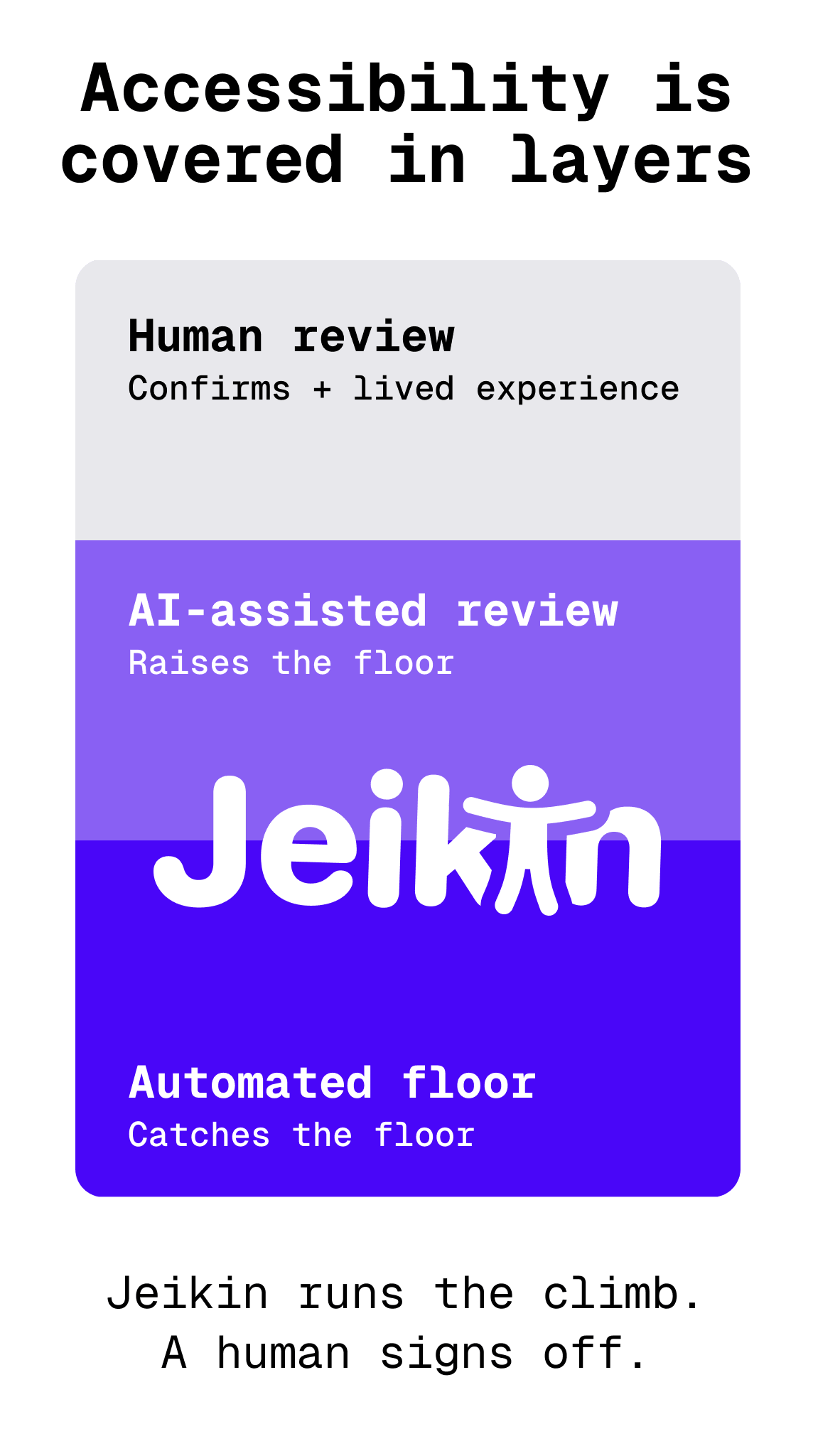
That moves the number, not just the boundary. The deterministic floor stays with the scanner. A meaningful slice of the interpretive middle, the part that used to require an expert from the first minute, shifts to AI-assisted review. The human reviewer then spends their time on what genuinely needs lived experience and judgment, instead of re-checking whether alt text exists. The 40 percent becomes a starting point you climb past, rather than the ceiling you settle for.
Closing the gap on purpose
This is the model we built Jeikin around. A scanner catches the structural floor. An AI-assisted review pass works through the criteria that need interpretation, with the specific WCAG criterion and a plain-language explanation attached to every finding. A human confirms and signs off. Each layer covers what the layer below it cannot, and every finding is tracked so the work is provable later rather than scattered across tool outputs.
If you take one thing from those two opening numbers, let it be this: a clean automated scan is a good day's work and a starting line. The 95.9% figure persists not because teams ignore the floor, but because most stop there. The other 60 percent is where usability actually lives, and it is reachable. It just needs a layer of judgment on top of the layer of rules.
Run a scanner today if you are not already. Then ask the harder question about the things it cannot see. That is where accessibility stops being a checkbox and starts being something people can use.
Automated tools made the floor easy to reach. The interesting work is everything above it.